Hey everyone!
Recently started I project that got me thinking about an easier way to select certain things to mask out. So what I came up with: a position to mask and a grayscale to mask. It's a bit like the Histogram Select, but the initial input is a bit more user-friendly.
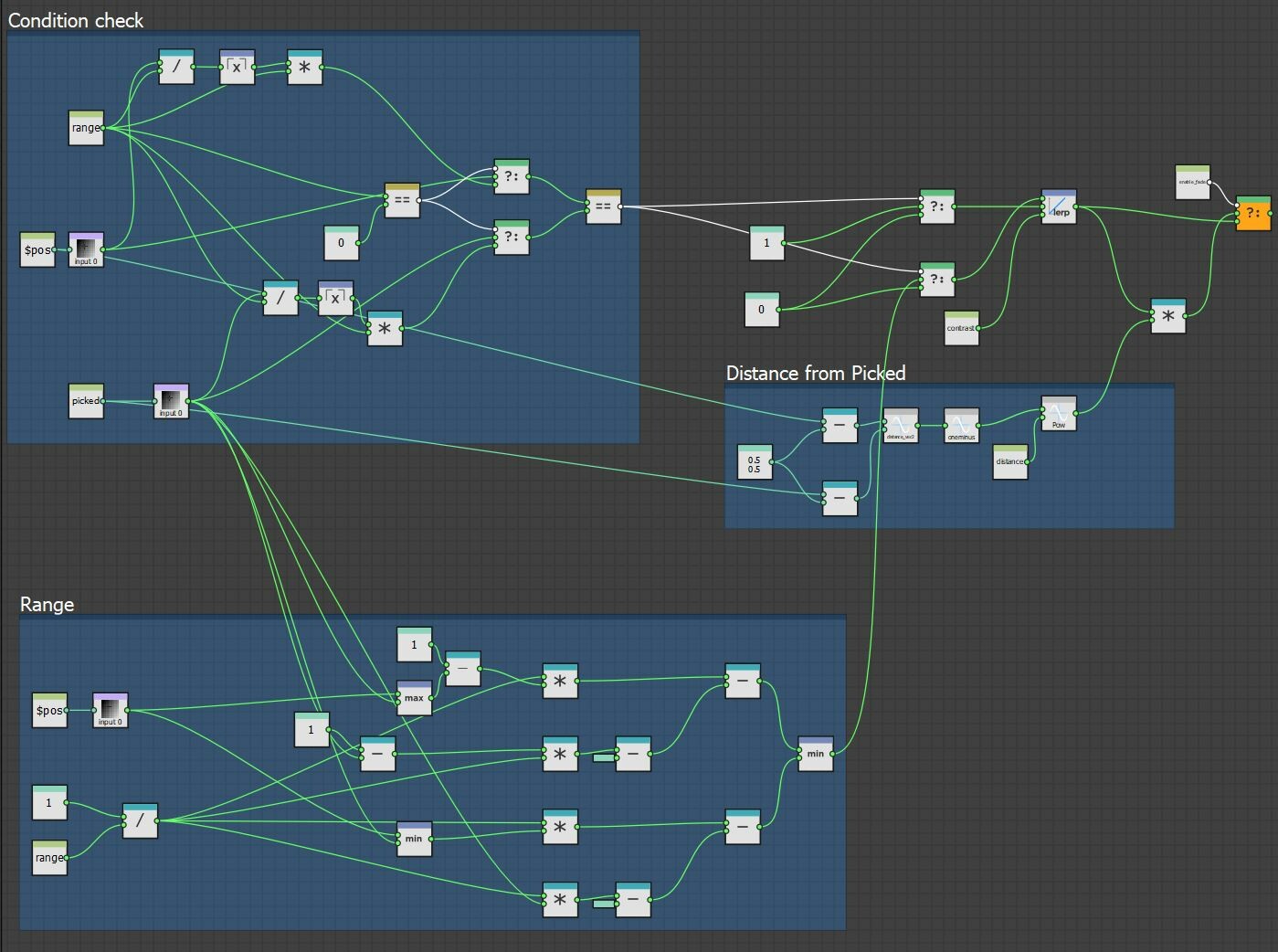
That's the whole thing in the Pixel Processor:
Basically, we sample the color under the position and use that to get the mask. There's also some additional controls: how precise the mask is(with 0.001 steps) and a Range. Range means selecting values near the main value. This is pretty much like the Histogram Select. Then, we have an additional feature which says: mask only within a certain distance of the position.
And some usage examples:
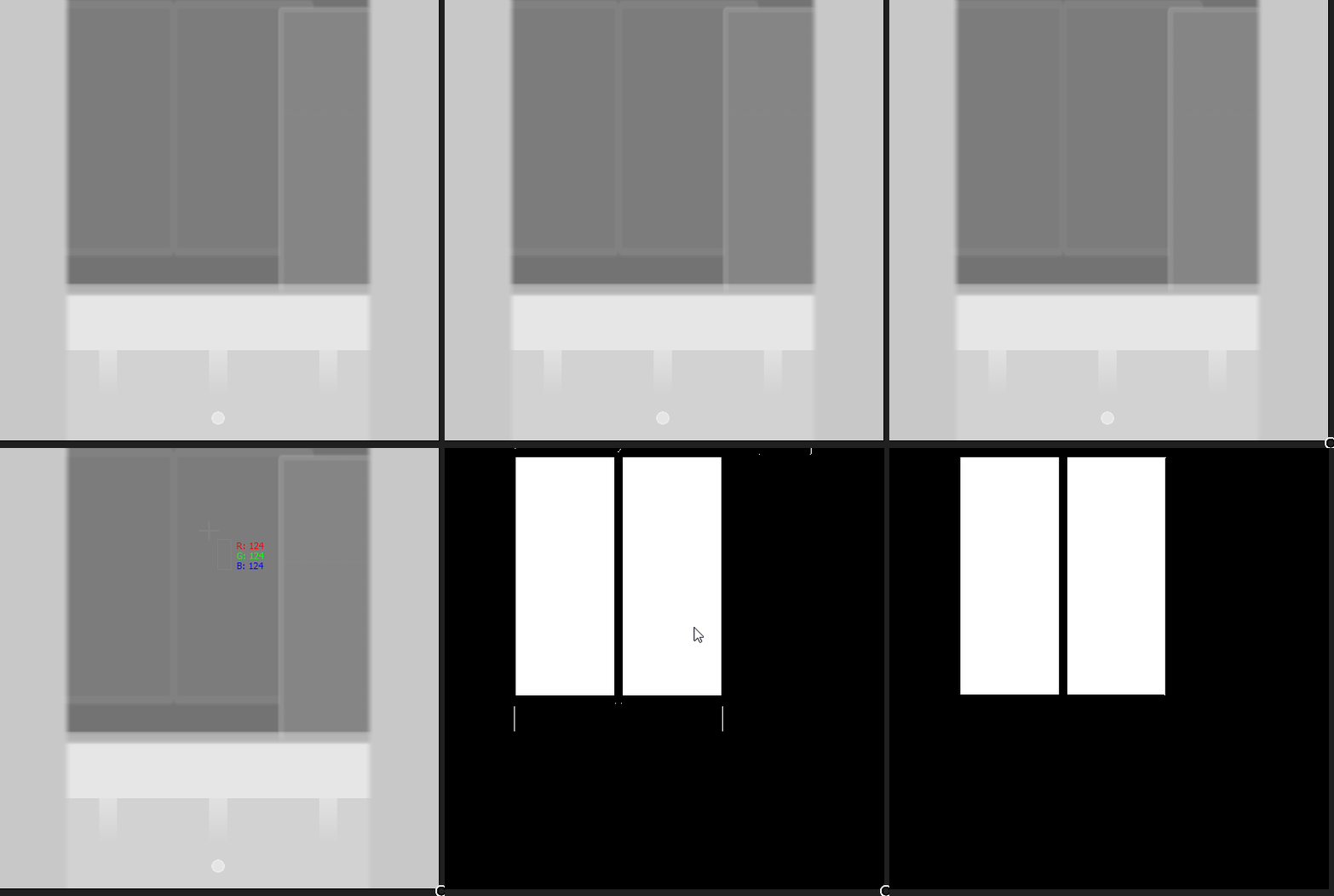
Here I have an apartment building and the different elements have a consistent height value. So I can just move the position and mask out what I need. I started this off with a need to mask out the glass parts.
And, with the position feature, we can additionally mask out only near the pointer.
And much like the Histogram Select, there is an option to extend the range of the mask.
Now, the other node has pretty much the same controls. The difference is the input. You don't pick by location, but with a grayscale value. And that means you can just color pick the element you want masked.
Depending on the precision(range) of the mask, you might get some stranded pixels. I'm filtering that outside the node with a Blur set to 0.01-0.1 and a Levels.
And to put that into actual use. I made an extended version of the Tile Sampler: it takes an additional input and spits out an additional output. Meaning, I made the masks for each shape beforehand and fed them there. Results: a Tile Sampler that gives the shape and mask for glass elements.
The 2 nodes are free on my Artstation store and Gumroad, for anyone that wants to try them! :)
https://www.artstation.com/rosko/store/ompm/substance-designer-mask-tools